
Getting Started with Intralox Smart Carryway: IDL-C v2.x
Intralox Smart Carryway (ISC) is an innovative and dedicated carryway automation system for equipment and licensees capable of collecting field operating data and delivering diagnostics.
- This page contains resources for ISC IDL-C v2.x. Resources for ISC IDL-C v1.x are available here.
- Not sure which version of ISC you're using? Refer to the screenshots on our Intralox Smart Carryway overview page.
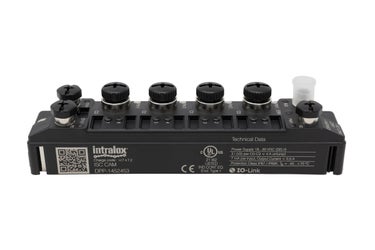
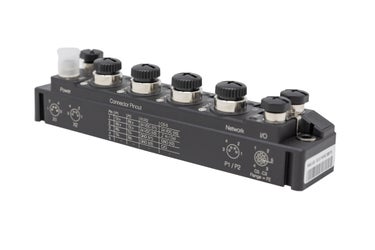
Carryway Automation Module (CAM)
The resources below will help you learn how to use the ISC CAM.
ISC CAM IDL-C Commercial Datasheet (PDF)
User Documents
ISC CAM IDL-C is committed to providing comprehensive support throughout your journey. Depending on your specific application, we offer a variety of user documents structure as follows:
Start-Up, Commissioning, and Integration Manuals
Quick Start ISC CAM IDL-C
This document contains basic information to power the ISC CAM IDL-C and access the vHMI to start the commissioning and integration process. Please see the FAQ at the bottom of this page for additional information.
Commissioning and Integration Manual
This document contains the information required to commission and configure an ISC CAM IDL-C v.2.x.
ISC CAM Commissioning and Integration Manual (PDF)
Troubleshooting and HMI Reference
This troubleshooting manual contains the necessary information to troubleshoot, reset, and replace an ISC CAM IDL-C v.2.x.
ISC CAM Troubleshooting and Reference Manual (PDF)
Technical Documentation, Software Tools, and Supporting Files
This section includes connection diagrams with wiring information, a link to download the ISC Service Tool, and Network Integration Data Sheets that describe communication interfaces for connecting the ISC CAM IDL-C v.2.x to Line PLCs.
To download all the files on this page as a single ZIP file, click here:
ISC CAM Documents (ZIP)
Frequently Asked Questions (FAQs) Videos
Contact Customer Service
Need more help? Intralox offers comprehensive support that includes 24/7 customer service, access to our technical experts, remote assistance options, and a growing suite of online resources to deliver the solutions you need quickly and reliably.